
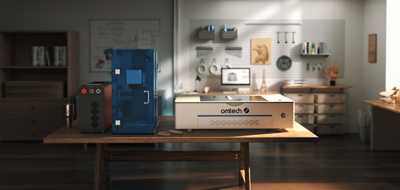

Laser engraving and leather are truly a match made in maker heaven. Leather’s texture, durability, and natural beauty make it the ideal canvas for everything from custom wallets to branded corporate gifts. Whether you’re a small business owner expanding your product line or a DIYer looking to level up your craft, this guide walks you through the best tips and tricks for stunning leather engraving results.
Why Laser Engraving Loves Leather
There’s a reason leather engraving is booming. With just a few settings tweaks and some design know-how, you can turn everyday leather goods into personalized, premium creations. Engraving adds character—think deep shadows, crisp lines, and rich textures—while preserving the material’s natural charm. It’s one of the easiest ways to boost product value without adding tons of extra labor.
Choosing the Right Leather for Engraving
Not all leather behaves the same, so choosing the right type is your most important first step.
Veg-tanned leather is the gold standard—it engraves beautifully, holds detail well, and develops an attractive patina over time.
Chrome-tanned leather, on the other hand, can darken unpredictably and sometimes produce harsher fumes.
Genuine vs. faux leather: While both are engravable, real leather typically gives you deeper contrast and cleaner lines. Faux leather often requires lower power to avoid melting.
Also consider thickness, finish, and color. Smooth surfaces engrave more precisely, while matte finishes tend to darken more evenly than glossy ones.
Preparing Your Leather for Best Results
A little prep goes a long way.
Clean the surface with a dry cloth to remove dust or oils.
Flatten your piece—warped leather can cause blurry or inconsistent engravings.
Masking tape: Some makers use it to minimize scorch marks on lighter leather, but it’s optional. Test both ways to see what works for your style.
And always, always test on a scrap piece from the same leather batch before running your final project.
Dialing In Your Laser Settings
Leather is forgiving, but your settings still matter.
For CO₂ laser engravers, start with:
Low to medium power
High speed
300–500 DPI for most projects
This combination helps you avoid over-burning the surface. If your engraving looks too light, increase power gradually. If you see charring or rough edges, raise your speed or lower your DPI.
Good ventilation is crucial here. Leather releases natural oils when heated, so pairing your setup with a reliable fume extractor—like an OMTech laser engraving machine—is a smart move for cleaner results and a healthier workspace.
Design Tips for Crisp, Beautiful Engravings
Leather takes detail well, but a few design choices can make your results even better:
Choose bold, legible fonts—thin lines may disappear into textured leather.
For dark leather, opt for high-contrast graphics.
Light leather benefits from subtle shading and raster engraves.
Combine vector and raster techniques to create depth, dimension, and texture in your artwork.
Techniques for Different Leather Projects
The type of leather good you’re working on affects both placement and technique.
Wallets & keychains: Keep designs compact and centered for best readability.
Belts: Use alignment tools or jigs to keep long engravings straight.
Bags: Work around seams and curves—try engraving on flat panels before assembly if possible.
Coasters: These are great for practicing because the flat surface produces sharp, predictable results.
Curved or uneven surfaces? Try using spacers or risers to maintain consistent focus distance across the piece.
Finishing Your Engraving for a Professional Look
Once the engraving is done, finish your piece like a pro.
Wipe off residue gently with a dry cloth.
Apply leather conditioner if your engraving looks dry—it helps restore moisture and enrich color.
For extra flair, try color-filling your engravings using acrylic paint or leather-safe dyes. Just mask off the surrounding area to keep edges clean.
Avoid oily or silicone-based products immediately after engraving, as they can darken the surface unevenly.
Common Problems & How to Fix Them
If something goes wrong, don’t worry—most issues are easy to solve:
Burn marks: Lower your power or increase speed.
Uneven depth: Make sure your leather is flat and your laser is properly focused.
Blurry lines: Slow down slightly or increase DPI.
Discoloration: This is usually leather-type related; try switching to veg-tanned leather for more predictable results.
Safety Tips When Engraving Leather
Leather can release fumes when engraved, so keep safety at the front of your workflow.
Use good ventilation or a dedicated fume extractor.
Avoid questionable leather types—especially those with unknown chemical treatments.
Keep your workspace clean and flame-free, as leather dust and oils can build up over time.
Recommended Tools & Accessories
A well-equipped workspace makes engraving smoother and more enjoyable. Consider:
A reliable CO₂ laser engraver with adjustable settings
Air assist to keep edges clean
Honeycomb or blade beds to improve airflow
Clamps, cleaning tools, and alignment jigs for consistent results
Optional: An OMTech laser fume extractor for safer, cleaner engraving
Your Creativity + Leather = Endless Possibilities
Leather engraving opens the door to timeless, personalized creations—whether you're making custom gifts, launching a handmade product line, or adding a new service to your business. With the right techniques and a bit of experimentation, you’ll be amazed at how quickly your leather goods transform into high-value, professional-quality pieces.


(0) comments
We welcome your comments
Log In
Post a comment as Guest
Keep it Clean. Please avoid obscene, vulgar, lewd, racist or sexually-oriented language.
PLEASE TURN OFF YOUR CAPS LOCK.
Don't Threaten. Threats of harming another person will not be tolerated.
Be Truthful. Don't knowingly lie about anyone or anything.
Be Nice. No racism, sexism or any sort of -ism that is degrading to another person.
Be Proactive. Use the 'Report' link on each comment to let us know of abusive posts.
Share with Us. We'd love to hear eyewitness accounts, the history behind an article.