
Staying safe shouldn't feel like a luxury. For seniors, people with medical conditions, or those living alone, medical alert devices provide peace of mind—both for themselves and for their loved ones. But while safety is essential, affordability matters too. With so many choices out there, it’s easy to feel overwhelmed when trying to figure out which device works best without breaking the bank.
That’s why understanding the range of features, packages, and pricing is key. A lot of what’s advertised may look like a must-have, but not every feature is necessary for everyone. Taking the time to break down what's really useful versus what's just nice to have can save you a lot—not just in money, but also in unnecessary stress. When researching options, it helps to get a clear picture of the typical medical alert cost and how it varies depending on services, equipment, and add-ons. This article will walk you through that.

Know What You Need First
Before comparing prices or plans, it’s important to figure out exactly what you’re looking for. Not all users have the same needs. For example, someone who spends most of their time at home might not require GPS tracking. On the other hand, an active user who goes out regularly might benefit from a more mobile setup.
Ask yourself:
Will the device be used mainly indoors or outdoors?
Is fall detection a must?
Does the user need caregiver or family alerts?
Is two-way communication required?
By starting with the essentials, you’ll avoid paying for features you’ll never use. Some companies try to upsell, but sticking to your list keeps things in perspective.
Common Types of Medical Alert Devices
Medical alert systems generally fall into a few categories. Understanding these can help you sort through what you’re actually paying for.
1. In-Home Systems
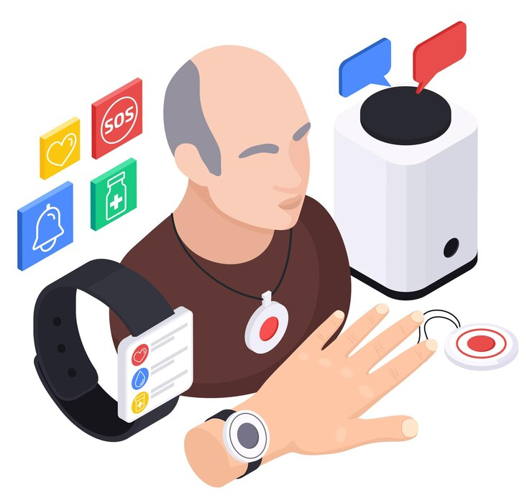
These typically work over a landline or cellular connection. They come with a base station and a wearable help button. These systems are great for people who mostly stay indoors.
Cost range: $20–$35 per month, plus possible activation fees.
2. Mobile Systems
These devices work anywhere with cellular service and often include GPS tracking. They’re ideal for active individuals.
Cost range: $30–$45 per month, depending on features.
3. Smartwatch-Style Devices
Some newer models look like modern wearables and combine alert functions with health monitoring tools.
Cost range: $40–$50+ per month, plus device costs.
4. Bundled Packages
Some companies offer both in-home and mobile systems, which can be more cost-effective for couples or families.
Cost range: $50–$60+ per month.
Prices go up when you add extra features, but we’ll get to that shortly.
What’s Typically Included in Basic Packages?
Most basic plans offer:
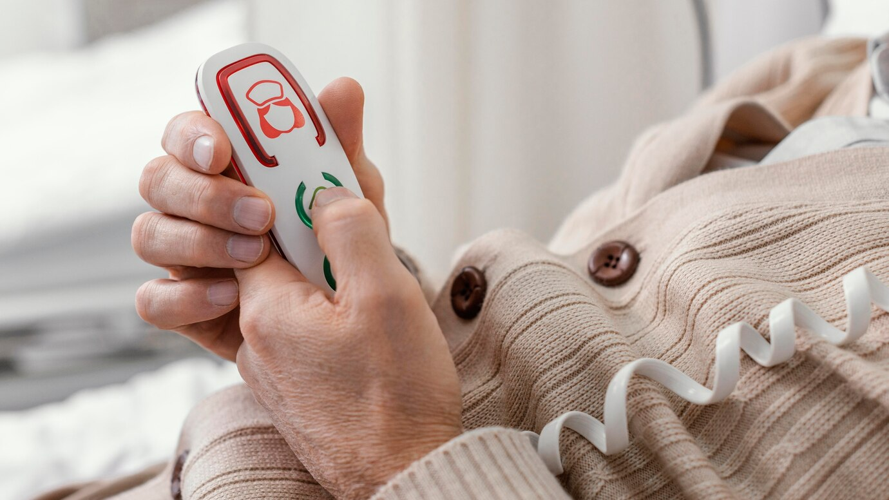
A wearable emergency button (necklace or wrist)
A base unit (for in-home systems)
24/7 monitoring
Two-way voice communication
Battery backup for power outages
Some even offer free equipment with a long-term contract. But “free” often means you’re locked into a subscription, so always read the fine print. Watch for hidden activation or cancellation fees, and make sure you can return the device if it doesn’t work for your needs.
Optional Add-Ons That Raise the Price
This is where the costs can add up quickly. Optional features can be useful—but they’re not always essential.
1. Fall Detection
Automatically sends an alert if a fall is detected, even if the user can’t press the button. This is helpful but can cost an extra $10 per month. According to the CDC, one in four adults over 65 falls each year, making this a useful feature for many.
2. Caregiver Portals
These online or app-based tools allow family members to track activity or check alerts. Some are free, others charge a small monthly fee.
3. Medication Reminders
Useful for people managing multiple prescriptions. These typically add $5–$10 per month.
4. Device Insurance or Replacement Plans
Covers lost or damaged devices. Costs vary, but usually around $3–$7 per month.
5. Voice-Activated Wall Buttons
Good for bathrooms or places where someone might not be wearing their alert device. These are generally one-time purchases.
If you're trying to stay within budget, ask whether you can add these features later. You don’t need to get everything up front.
Tips to Keep Costs Down
Now let’s talk about how to be smart with your spending. You can still get excellent protection without going overboard.
1. Avoid Long-Term Contracts
Some providers offer “discounts” for signing annual agreements, but if your needs change, canceling early can cost you. Try to go month-to-month if possible.
2. Look for No-Activation-Fee Providers
Some companies charge $50–$100 just to start the service. Others waive that fee, especially if you sign up online or during a promo.
3. Skip the Flashy Tech (Unless You Really Need It)
Features like voice assistants, fitness tracking, or advanced health sensors may sound impressive, but they’re often unnecessary for basic safety. Don’t pay extra for bells and whistles.
4. Ask About Discounts
Many companies offer discounts for veterans, AARP members, or if you’re switching from another provider. It never hurts to ask.
5. Watch for Equipment Return Policies
If there’s a trial period, use it. Some companies charge hefty restocking fees or make returns difficult. Look for 30-day money-back guarantees.
Red Flags to Watch For
Some deals may look too good to be true. In some cases, they are. Keep your eye out for:
Very low prices that require long contracts
Free trials that turn into paid subscriptions automatically
Hidden fees in fine print (shipping, reactivation, etc.)
Poor customer service—check reviews before committing
You want a provider that’s transparent. If it’s hard to get straight answers before you sign up, that’s a red flag. You can also refer to independent reviews like this Forbes Health comparison of alert systems for balanced insights.
Real-World Examples of Balanced Choices
Let’s say your parent lives alone and rarely leaves the house. An in-home system without fall detection might be all they need, bringing monthly costs to around $25.
Now imagine a different case: a senior who still drives and walks in the neighborhood. They’d benefit from a mobile system with GPS. Add fall detection and a caregiver app, and the monthly cost might rise to $45–$50.
But in both cases, you’re avoiding unnecessary add-ons and still getting solid protection.
Questions to Ask Before Choosing
To make the best decision, ask the provider:
What’s included in the monthly fee?
Are there any hidden charges?
Is fall detection automatic or manual?
Can I cancel at any time?
How long does the battery last?
Is the system easy to install and use?
Take notes and compare answers from multiple providers. Don’t rush. A few extra phone calls can save you hundreds of dollars each year.

Safety Doesn’t Have to Be Expensive
There’s a wide range of medical alert products out there, but that doesn’t mean you have to spend big to stay safe. The trick is to focus on your core needs, skip the unnecessary extras, and keep an eye out for hidden costs.
The most affordable option isn’t always the cheapest—it’s the one that fits your lifestyle without piling on unused features. When you’re informed, you’re not just buying a device—you’re investing in confidence and independence, without the financial stress.


(0) comments
We welcome your comments
Log In
Post a comment as Guest
Keep it Clean. Please avoid obscene, vulgar, lewd, racist or sexually-oriented language.
PLEASE TURN OFF YOUR CAPS LOCK.
Don't Threaten. Threats of harming another person will not be tolerated.
Be Truthful. Don't knowingly lie about anyone or anything.
Be Nice. No racism, sexism or any sort of -ism that is degrading to another person.
Be Proactive. Use the 'Report' link on each comment to let us know of abusive posts.
Share with Us. We'd love to hear eyewitness accounts, the history behind an article.