
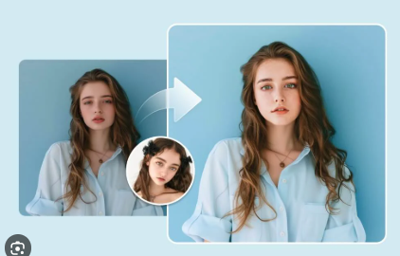

There was a time when manipulating video required serious technical skill, expensive software, and a level of patience most people simply didn’t have. Now, artificial intelligence has reduced that process to minutes — and in doing so, quietly reshaped how visual storytelling works across luxury, travel, and high-end brand marketing. Face swap technology, once dismissed as novelty, is now entering a more sophisticated phase. The question is no longer can it be done, but should it — and where does it actually belong in a premium content strategy?
AI Video Is Moving Into the Luxury Space
Luxury has always been about control — of image, narrative, and perception. That’s what makes AI-powered video tools both compelling and slightly uncomfortable. According to research from MIT Media Lab and Stanford University, synthetic media is advancing rapidly, particularly in facial mapping and motion tracking. The technology can now replicate expressions, adjust lighting, and maintain continuity in ways that were not possible even a few years ago.
For luxury brands — especially in hospitality and travel — this opens up new creative directions. Campaigns can be adapted across markets. Visuals can be reimagined without reshooting. Storytelling becomes more flexible, and significantly faster. But flexibility and refinement are not the same thing.
Where This Works Beautifully — And Where It Doesn’t
In controlled environments, AI-enhanced video can be striking. Think destination marketing where lighting is consistent, movement is intentional, and the visual tone is already polished.
In those scenarios, subtle enhancements — not obvious manipulation — are where this technology performs best. Adjusting expressions, refining continuity, or adapting content for different audiences can elevate a campaign without compromising its integrity.
Where it fails is exactly where luxury brands cannot afford mistakes: unpredictability.
Fast motion, complex lighting, or emotionally nuanced scenes can quickly expose the artificiality. And once the illusion breaks, so does the trust.
The Hospitality Use Case — Precision Over Novelty
For high-end hotels, resorts, and travel brands, the opportunity is not in gimmicks — it’s in efficiency and consistency.
Imagine a global resort campaign where a single hero video is adapted for multiple markets without reshooting talent. Or a branded experience where visual storytelling is tailored to different demographics while maintaining a cohesive aesthetic.
Used correctly, AI becomes a refinement tool rather than a replacement for production.
Used poorly, it looks like exactly what it is — synthetic.
The Ethical Layer Brands Can’t Ignore
This is where the conversation becomes less about creativity and more about responsibility.
The Federal Trade Commission has already begun signaling increased scrutiny around manipulated media, particularly in advertising. Transparency and intent matter.
Luxury audiences are especially sensitive to authenticity. They are not just buying a product or a destination — they are buying into a narrative. If that narrative feels manufactured in the wrong way, it creates distance instead of desire.
And in luxury, distance is the fastest way to lose relevance.
A Shift in Creative Direction — Not a Replacement
As we’ve explored in our analysis of AI face swap technology, the real shift isn’t about replacing traditional production. It’s about expanding what’s possible between shoots.
This technology works best as a supporting player — enhancing, adapting, and extending existing content rather than trying to replace the craftsmanship behind it.
The brands that understand that distinction will use AI to their advantage.
The ones that don’t will end up looking like they took a shortcut.
The FINE Take
AI face swap technology is not inherently impressive. It becomes impressive when it’s invisible.
For luxury creators, marketers, and hospitality brands, the value lies in subtlety — in using these tools to refine storytelling without calling attention to the technology itself.
This isn’t about creating something new out of nothing. It’s about enhancing what already exists, without losing the human element that makes it desirable in the first place.
Because in the end, luxury has never been about what you can do.
It’s about knowing exactly what not to.

(0) comments
We welcome your comments
Log In
Post a comment as Guest
Keep it Clean. Please avoid obscene, vulgar, lewd, racist or sexually-oriented language.
PLEASE TURN OFF YOUR CAPS LOCK.
Don't Threaten. Threats of harming another person will not be tolerated.
Be Truthful. Don't knowingly lie about anyone or anything.
Be Nice. No racism, sexism or any sort of -ism that is degrading to another person.
Be Proactive. Use the 'Report' link on each comment to let us know of abusive posts.
Share with Us. We'd love to hear eyewitness accounts, the history behind an article.