
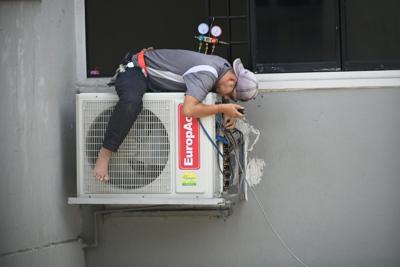

Did you know that nearly 70% of homeowners experience HVAC issues each year? If your AC is blowing hot air even when it's off, you're not alone, and several factors might be at play. It could be something as simple as an incorrect thermostat setting or as complex as electrical problems. Perhaps there's residual heat escaping from your ducts, or maybe a deeper issue like a faulty compressor. Before you call a technician, there are a few troubleshooting steps you can take to diagnose the problem yourself. So, what should you check first?
Thermostat Issues
When your AC starts blowing hot air, the first thing you should check is the thermostat. Confirm it's set to "Cool" mode and not just "Fan" or "Heat." Verify the temperature setting is lower than the current room temperature. If the thermostat is battery-operated, replace the batteries to rule out power issues.
Next, inspect the thermostat's placement. It shouldn't be near heat sources like lamps or direct sunlight, which can cause false readings. Use a level to confirm it's properly aligned on the wall; misalignment can lead to incorrect temperature detection.
If your thermostat is programmable, check the schedule settings. Confirm it hasn't been accidentally set to a mode that raises the temperature when you expect cooling. Resetting the thermostat to factory settings can sometimes clear programming issues.
For smart thermostats, verify the Wi-Fi connection and confirm the firmware is up-to-date. Connectivity issues or outdated software can disrupt normal operation. Consult the user manual for specific troubleshooting steps for your model.
Electrical Problems
Why is my AC vent blowing hot air even when it's turned off? Electrical problems can be a significant cause of your AC blowing hot air. First, check the circuit breaker. If it's tripped, reset it and see if the AC resumes normal function. Consistent tripping indicates an underlying issue needing professional attention.
Next, inspect the thermostat wiring. Loose or corroded wires can disrupt communication between your thermostat and the AC unit. Confirm all wires are securely connected and free of corrosion. Use a multimeter to verify voltage consistency.
The capacitor is another critical component. A failing capacitor won't provide the necessary power to the compressor and fan. Visually inspect it for bulges or leaks. If defective, replace it immediately. Verify the replacement matches the specified voltage and microfarad ratings.
Also, examine the contactor. This switch controls the flow of electricity to the compressor and fan. A worn or defective contactor may cause the AC to blow hot air. Listen for a clicking sound when the AC turns on; absence indicates a faulty contactor.
Lastly, check for burnt-out or frayed wires within the unit. These can lead to short circuits, preventing the AC from cooling effectively. Replace any damaged wiring and secure connections.
Refrigerant Leaks
Refrigerant leaks are a common culprit behind an AC blowing hot air. When your system loses refrigerant, it disrupts the cooling cycle, causing the evaporator coil to freeze and the condenser coil to overheat. This imbalance can result in your AC unit blowing warm air even when it's off.
First, visually inspect the refrigerant lines for oil stains or frost, as these are tell-tale signs of leaks.
Next, use a refrigerant leak detector to identify the exact location of the leak. These detectors are sensitive to the unique properties of refrigerant gasses, providing precise identification.
Once you've located the leak, you'll need to repair or replace the affected sections.
For minor leaks, using a refrigerant sealant might suffice. However, significant leaks often require replacing the compromised tubing or components.
After repairs, it's essential to recharge the system with the correct type and amount of refrigerant.
Faulty Compressor
A common reason your AC might be blowing hot air is a faulty compressor. The compressor is the heart of your AC system, responsible for circulating refrigerant through the coils. When it fails, the refrigerant can't absorb and release heat effectively, leading to warm air output.
First, check if the compressor is running. Listen for a humming or buzzing noise indicating it's operational. If it's silent, the compressor might be dead.
Next, inspect the capacitor, a small cylindrical component connected to the compressor. Use a multimeter to test for continuity; a lack of it means the capacitor needs replacement.
If the compressor is running but still not cooling, check for overheating. Compressors have thermal overload switches that shut them down if they get too hot. Inspect for blockages around the condenser coils and verify the fan is working properly to dissipate heat.
Lastly, measure the refrigerant pressure using a manifold gauge set. Low pressure indicates a refrigerant issue, often causing the compressor to strain and fail. If you find abnormal readings, consult a professional for a refrigerant recharge or further diagnostics.
Taking these steps can pinpoint compressor issues and guide effective repairs.
Dirty Air Filters
While a faulty compressor is a major culprit for an AC blowing hot air, don't overlook the impact of dirty air filters. When filters are clogged with dust and debris, airflow is restricted, causing the system to overheat and malfunction. This can lead to the unit blowing hot air even when it's turned off.
To address this, follow these troubleshooting steps:
- Turn Off the AC: Before you start, make sure the unit is completely powered down to avoid any electrical hazards.
- Locate the Air Filters: Typically, air filters are found behind the return air grill, inside the blower compartment, or within the ductwork. Refer to your unit's manual if you're unsure.
- Inspect the Filters: Remove the filters and examine them closely. If they appear clogged or discolored, it's time for a replacement.
- Replace or Clean the Filters: Depending on the type, either replace the disposable filters with new ones or clean the reusable filters according to the manufacturer's instructions.
Regular maintenance of your air filters not only guarantees efficient cooling but also prolongs the lifespan of your AC unit.
Dirty filters can compromise indoor air quality and increase energy consumption, so keep them clean for peak performance.
Blocked Condenser Unit
If your AC is blowing hot air, you might be dealing with a blocked condenser unit. The condenser unit expels heat from the refrigerant, but it can't do its job if it's obstructed.
First, turn off the AC and disconnect the power to guarantee safety. Locate the outdoor condenser unit, typically found near the side or back of your house.
Inspect the exterior for debris like leaves, grass clippings, and dirt. Use a garden hose to gently wash away the buildup, but avoid high-pressure settings that could damage the fins.
After cleaning the outside, remove the protective grille to access the interior. Check the condenser coil for blockages. If it's dirty, a specialized coil cleaner can be applied. Follow the manufacturer's instructions for application and rinsing.
Confirm the surrounding area is clear of obstructions; maintain at least two feet of clearance around the unit for ideal airflow.
Reassemble the unit and restore power. Turn the AC back on and monitor its performance. If it still blows hot air, the issue might be more complex, requiring a professional HVAC technician to inspect and possibly repair the system.
So, you've checked the thermostat, inspected the wiring, and even considered residual heat, yet your AC still insists on blowing hot air when it's off. Isn't it ironic how modern conveniences sometimes serve as a reminder of their complexity? You could call a professional technician, but don't forget to clean those air filters and keep the condenser unit unblocked. After all, maintaining an AC is almost like a full-time job, isn't it?
Here are some other articles related to your search:
(0) comments
We welcome your comments
Log In
Post a comment as Guest
Keep it Clean. Please avoid obscene, vulgar, lewd, racist or sexually-oriented language.
PLEASE TURN OFF YOUR CAPS LOCK.
Don't Threaten. Threats of harming another person will not be tolerated.
Be Truthful. Don't knowingly lie about anyone or anything.
Be Nice. No racism, sexism or any sort of -ism that is degrading to another person.
Be Proactive. Use the 'Report' link on each comment to let us know of abusive posts.
Share with Us. We'd love to hear eyewitness accounts, the history behind an article.