
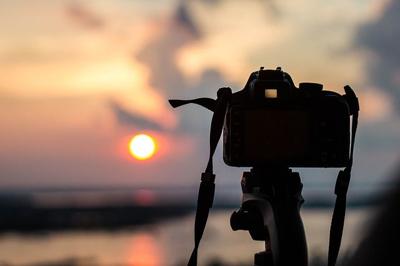

It seems like the years have been many, but short when it comes to photography. Simply put, photo editing technology has entered our picture into a completely new world. Yet, the computer isn't the photographer's every important tool - it is the camera. Another factor that's also true is that there are many difficulties to handle in photo editing. For example, you can have two photos in need of editing. So, you go through the opening process, editing, and the saving part becomes unpleasant. And worst, you spent an hour or more. Even so, one of the top issues is productivity. Now, you can develop eye-opening photographs by taking your photo editing workflow to another level.
At this stage, you can delve into professional photographers' post-processing choices such as Lightroom, Photoshop, and Adobe Camera Raw. You can do amazing things when you edit and manage photos by using a few editing tips. Improve your portrait accomplishments and have a winning opportunity edge while entering a photography contest. Nevertheless, you can follow up on this photo editing technology while becoming your own photographer.
Once you begin using Lightroom presets for editing, you'll get a dramatic speed up for your workflow. Plus, your photos will have a professional look using the presets' single-click photo editing tools. The purpose of using Lightroom is to improve image quality. If you have an Instagram feed, you can effortlessly create a unique style. This Lightroom presets are the photo filter look-alikes, except you can control and adjust any issues within your photo — like making changes in the hue or saturation of certain colors.
If you are interested in downloading and using Lightroom presets but don’t want to spend money on a monthly Adobe subscription, find out how to get Lightroom for free
However, you can get the presets in collections similar to choosing a filter selection for your photos. This is a convenient feature for preserving your Instagram feed's unified form. Another feature example is how you might apply Lightroom's HSL option to boost the contrast between a cloudy sky and a blue one. In this case, you will choose luminance; drag your blue slider left to make the sky darker. If you don't over-apply, the objects and clouds will stay in their edge position.
Furthermore, Adobe Camera Raw can have the same option to achieve a vivid sky. If you work with landscape photography, portraits, and weddings, you can choose professional Lightroom presets. Furthermore, there are many free Lightroom presets you can use to retouch your images and save you time as you discover modern techniques for refining your style. For instance, you could edit your new landscape image or produce the same appearance with the full editorial shoot. The potentiality of using free presets is you can make new powerful images. As you advance in your editing journey, integrating advanced tools can further elevate your work. Leveraging an image upscaler-free AI tool allows you to enhance the resolution of your photos, making them sharper and more detailed without compromising quality. This ensures your final images stand out, whether they're displayed on a high-resolution screen or printed. By combining these cutting-edge tools with your creativity, you can unlock endless possibilities and produce truly breathtaking photographs.
Adobe Camera Raw provides the highest possible quality
Customers don't mind paying for photography services, but some of them end with unsatisfactory work deficient of what was promised. Well, professional photographers give clients their money's worth by using Adobe Camera Raw to provide the highest possible quality in photo shooting. Although RAW shooting has to be processed, the photographer's goal is to get it right the first time. By using Camera Raw, the photo shooter can avoid blown highlights and banding issues.
Furthermore, portrait photographers have a major advantage in shooting RAW files. Another benefit is the latest cameras make RAW files, which will work flawlessly in programs such as Photoshop and Lightroom. Adobe Camera Raw is a professional-level option of which amateurs and hobbyists wanting better prints or files may take advantage.
Adobe Photoshop graphics design choices
Perhaps, you have used Adobe Photoshop for years. Then, you already know about the superiority of its graphics design choices. The program is worth learning because of high-quality alternatives such as photo masking, photo restoration, enhancement, photo editing, photo composition and many more. Nowadays, all of these various selections are in great demand.
When you think about the editing part in the software, graphics designing is the information on which you should focus. Here, you have many benefits to getting ideas and learning skills right at your desktop computer. So if you are serious about learning Adobe Photoshop, you should easily find a computer institute in your town. Once found, ask them whether they teach about Adobe Photoshop and the latest updates.
Also, you can find many YouTube videos that teach Photoshop techniques. On your desktop, you have the advantage to stop and pausing your playback while practicing what you learn on the fly. Not only that, you can practice your skills every day after installing Photoshop on your computer, of course.
Lastly, developing and editing photos demands time and patience. Most importantly, you must learn the camera — equal to spending time with software programs. Essentially, software techniques have a place in the photography world, but they can't substitute for camera skills.

(0) comments
We welcome your comments
Log In
Post a comment as Guest
Keep it Clean. Please avoid obscene, vulgar, lewd, racist or sexually-oriented language.
PLEASE TURN OFF YOUR CAPS LOCK.
Don't Threaten. Threats of harming another person will not be tolerated.
Be Truthful. Don't knowingly lie about anyone or anything.
Be Nice. No racism, sexism or any sort of -ism that is degrading to another person.
Be Proactive. Use the 'Report' link on each comment to let us know of abusive posts.
Share with Us. We'd love to hear eyewitness accounts, the history behind an article.