

There is a particular kind of workday that begins with a perfectly reasonable to-do list and ends with a sore neck, a tangle of charging cables, and the uneasy feeling that you spent half the afternoon fighting your own desk. The problem is not always the workload. Sometimes, it is the equipment.
A well-considered office should make the difficult parts of working easier. That does not mean filling every available surface with gadgets. It means investing in pieces that earn their place, whether you work from a beautifully appointed home office, run a small business, or spend your days moving between the two.
Here are ten modern office essentials worth considering, chosen for the problems they solve rather than the promises on their packaging.
Start With a Chair You Can Forget About
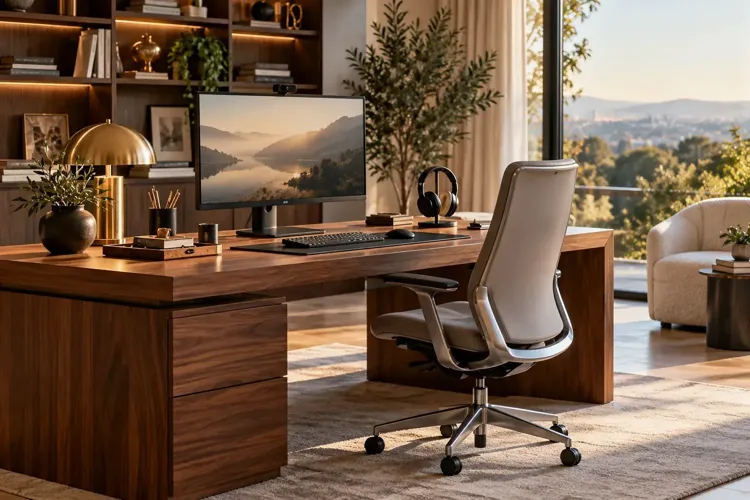
The best office chair is not necessarily the one that makes the biggest visual statement. It is the one you stop thinking about halfway through a long afternoon. Look for adjustable seat height and depth, supportive backrests, armrests that work with your desk, and a fit that feels natural to your body. Even an expensive chair can be wrong for the person sitting in it.
The Steelcase Gesture is a serious contender for a premium workspace, with highly adjustable arms and a back designed to accommodate changing postures. It is a substantial investment, so try it in person if possible rather than buying on reputation alone.
The Occupational Safety and Health Administration's workstation guidance is a useful reality check: support your lower back, keep your shoulders relaxed, and arrange the rest of the desk around a comfortable working position. Ergonomics begins with fit, not a price tag.
Choose a Desk That Moves With You
A handsome desk that is the wrong height is still the wrong desk. A sit-stand model lets you change position as the day changes, from a focused morning session to a standing call or an afternoon spent sorting through documents. The benefit is flexibility, not the idea that standing all day is somehow a virtue.
The Branch Duo Standing Desk brings an unusually restrained look to adjustable furniture, with rounded edges, finish options, two height presets, and optional cable organization. Check its height range against your own seated and standing positions before ordering; no single desk fits every user.
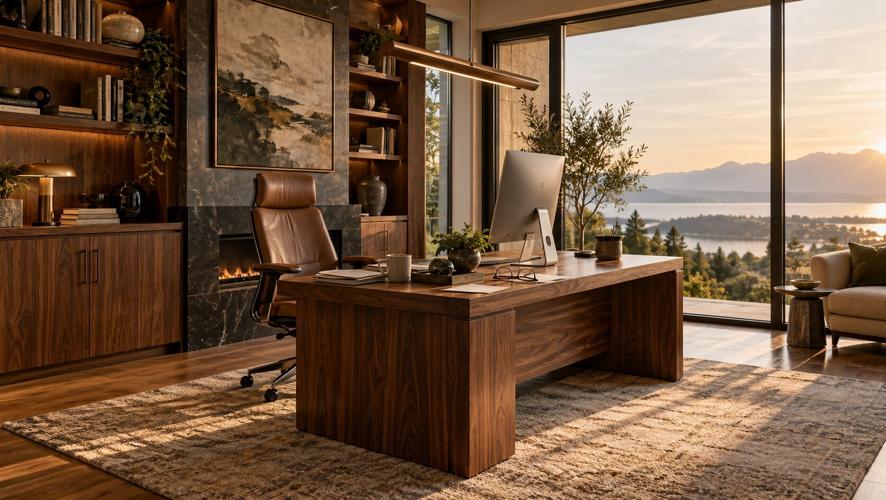
Plan the surface, too. A monitor, keyboard, and notebook need room to coexist without pushing your coffee perilously close to the edge. As FINE has explored in designing a premium home office, the difference between an attractive room and a good workspace is often what happens after you sit down.
Give Your Eyes a Better View
If you review photographs, compare documents, build presentations, or keep several windows open, screen quality deserves more attention than it usually receives. A larger display can reduce constant window juggling, but clarity, placement, and connectivity matter more than sheer size.
The Dell UltraSharp 27 4K Thunderbolt Hub Monitor U2725QE combines a sharp 27-inch 4K panel with a 120Hz refresh rate and a Thunderbolt hub that can simplify a compatible laptop setup. Its built-in connectivity makes it particularly appealing for anyone trying to eliminate a separate collection of adapters.
Set the screen directly in front of you, with the top at or slightly below eye level. An excellent monitor placed badly can still leave you craning your neck by lunchtime.
Finally Fix the Light Around the Screen

You can spend generously on a monitor and still work under lighting that belongs in a storage closet. Glare on the display, a bright screen against a dark room, and a harsh overhead fixture can make an otherwise elegant office feel tiring.
The BenQ ScreenBar Halo 2 sits above a monitor, directing light onto the desk while adding illumination behind the screen; a wireless controller adjusts brightness and color temperature. It is a thoughtful alternative to another lamp occupying precious desk space, although layered room lighting still matters.
A simple improvement costs nothing: position your workstation so windows are beside the monitor rather than directly behind it or in your line of sight.
Upgrade the Tools You Touch All Day
Keyboards and mice rarely inspire dramatic office makeovers. Yet these are the objects you use hundreds of times a day, and small irritations have an extraordinary ability to accumulate. Consider comfort, hand size, typing feel, noise, and the software you actually use before choosing.
The Logitech MX Master 4 is designed for right-handed users, with fast scrolling, a side scroll wheel, and customizable shortcut controls for working through documents or creative applications. It rewards people who will take a few minutes to configure it, but its sculpted shape is not the answer for everyone.
Pair it, if the feel suits you, with the Logitech MX Keys S, a low-profile wireless keyboard with quiet, sculpted keys and illumination that responds to its surroundings. Those who prefer a split keyboard or a mechanical switch should prioritize their typing comfort over matching accessories.
Make Video Calls Look and Sound Professional
A beautiful office loses some of its polish when its owner appears as a shadowy silhouette on a video call. Before buying anything, place a soft light in front of you, raise the camera toward eye level, and check what is visible behind your chair.
For frequent presentations and client meetings, the Logitech MX Brio offers 4K video capture and adjustments that can improve the image when lighting conditions are difficult. It will not rescue poor framing, but it gives a carefully arranged workspace a capable camera.
Sound deserves equal attention. The Jabra Evolve3 75 combines an on-ear, foldable design with adaptive noise cancellation and AI-assisted voice pickup. It is a sophisticated option for hybrid workers, though its premium price makes it most sensible for people who spend substantial time in meetings.
Protect the Work You Cannot Recreate
The most important office accessory may be the least photogenic. Contracts, photography, presentations, financial records, and client projects deserve a backup plan that does not depend on remembering to click “save” at the end of a hectic day.
A portable drive such as the Samsung T9 SSD can provide fast local storage for large working files and a convenient component of a backup routine. Actual transfer speeds depend on your computer's ports, and the drive should be encrypted when it holds sensitive information.
A drive alone is not a complete backup strategy. As the Cybersecurity and Infrastructure Security Agency advises, keep secure backups beyond the primary device and protect them against ransomware. Automate the process where possible, keep at least one backup disconnected or otherwise protected, and occasionally test that your files can actually be restored.
Make the Coffee Break Worth Leaving Your Desk For
Not every worthwhile upgrade has a USB port. A good office should also provide a reason to stand up, step away from the screen, and return with a clearer head. A considered coffee station can be a modest daily pleasure rather than another appliance competing for counter space.
The Fellow Aiden Precision Coffee Maker offers automatic control of brew temperature, timing, and water flow, with settings for anything from a single cup to a carafe. Its compact, architectural appearance is especially well suited to an office refreshment area; a grinder is separate.
No, a premium coffee maker will not magically finish your inbox. Sometimes the value is simply in making the ordinary parts of the day more enjoyable.
Buy for Your Workday, Not Someone Else's
Before buying all ten, notice what slows you down most. If your shoulders tighten after an hour, begin with the chair and desk setup. If your screen is crowded and your laptop is surrounded by adapters, start with the monitor. If your clients regularly say they cannot hear you, improving call audio may do more than a new piece of furniture.
The most appealing office is not the one with the most expensive equipment. It is the one in which everything seems to be exactly where it belongs, technology behaves itself, and you can concentrate on the reason you came to work in the first place.

(0) comments
We welcome your comments
Log In
Post a comment as Guest
Keep it Clean. Please avoid obscene, vulgar, lewd, racist or sexually-oriented language.
PLEASE TURN OFF YOUR CAPS LOCK.
Don't Threaten. Threats of harming another person will not be tolerated.
Be Truthful. Don't knowingly lie about anyone or anything.
Be Nice. No racism, sexism or any sort of -ism that is degrading to another person.
Be Proactive. Use the 'Report' link on each comment to let us know of abusive posts.
Share with Us. We'd love to hear eyewitness accounts, the history behind an article.