
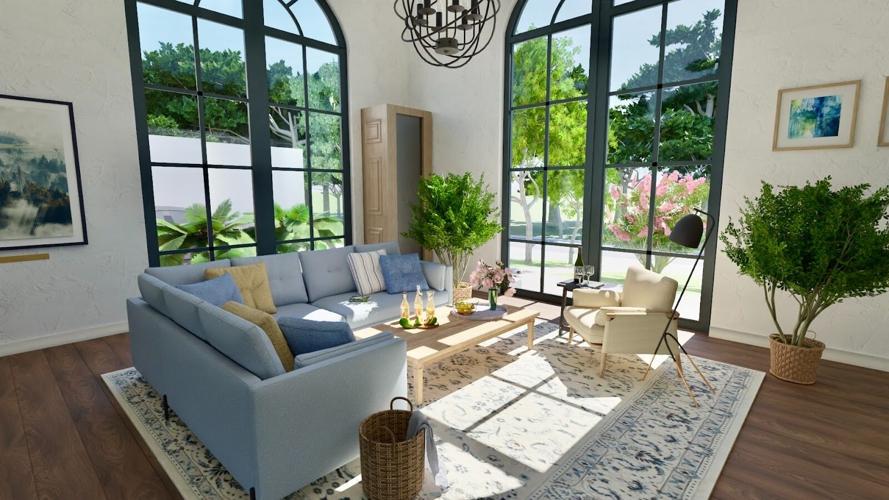
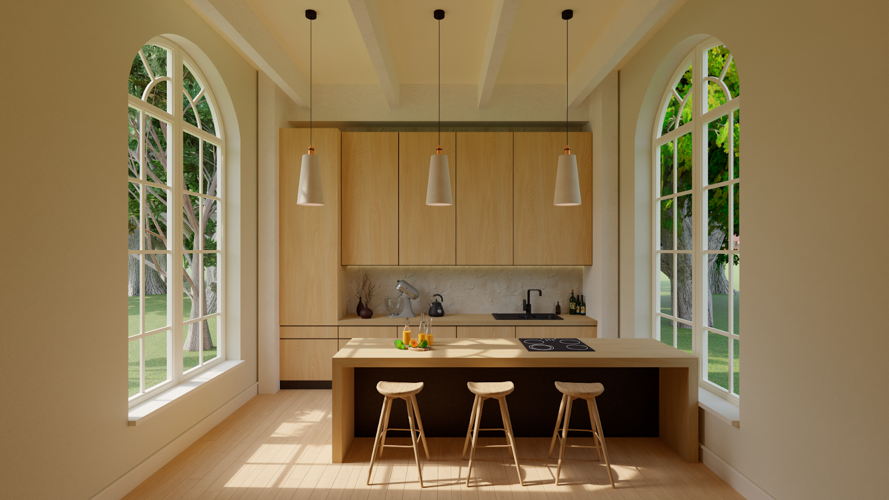

Designed and rendered with Live Home 3D
What do we need interior design software for? Some use it for complex 3D modeling, professional rendering or for creating detailed floor plans, while others may use it just for fun. Nowadays on the market you can find a tool for whatever needs you have. But here’s a question: how to choose the best one?
In this list of top 5 tools for interior design, we gathered the ultimate software for interior designers with different needs: from top-tier professional choices to DIY creators—if you are someone who is interested in interior design, you will definitely find the software for your needs!
SketchUp—A Top Choice for Professional 3D Modeling
SketchUp is a strong contender for experienced designers who require advanced 3D modeling capabilities. Widely used in architecture, construction, interior and landscape design, as well as urban planning, the software provides professional-grade tools and workflows. Its ecosystem enhances productivity through integrations like 3D Warehouse (a massive library of ready-made models), Extension Warehouse (hundreds of add-ons), and Trimble Connect for cloud-based collaboration.
Known for its adaptability and precision, SketchUp is a favorite among architects and designers and has earned its place among the top interior design applications.
Why SketchUp?
SketchUp is an excellent solution for professional architectural and large-scale design work. It boasts robust 3D modeling and design tools, photorealistic visualization capabilities, provides access to extensive model libraries via 3D Warehouse and has a web-based version available.
Keep in mind: beginners or casual users may find its learning curve steep and may prefer a more intuitive alternative.
Live Home 3D—Ideal for Detailed Floor Plans and Interior Design
Live Home 3D stands out as one of the most versatile interior design apps for both professionals and beginners. It enables users to create precise floor plans, furnish interiors using an extensive library of 3D objects, and visualize projects with highly realistic results. Nearly every aspect of a design can be adjusted—from lighting and materials to roofs and structural elements—giving users full creative control.
Sharing finished projects is seamless: designs can be exported as snapshots, realistic renders, or video walkthroughs for clients, friends, or contractors. With support across macOS, iOS, Windows, Android, and visionOS, as well as AR walkthroughs, Live Home 3D excels at immersive visualization and accessibility.
Why Live Home 3D?
Live Home 3D offers advanced tools for designing rooms, houses, and full buildings, complete customization of design elements and unlimited realistic renders, even in the free version. Beyond that, unlike many apps these days, Live Home 3D offers one-time purchase options and not solely subscriptions.
Keep in mind: the app is still not as complex and capable as professional CAD software, which can be a downside for some designers and an advantage for the others. Live Home 3D bridges the gap between CAD and simplified, game-like design apps.
Chaos Corona—Best Rendering Engine for Interior Designers
For interior designers focused on achieving breathtaking visual realism, Chaos Corona stands out as a top rendering engine. Widely used in architecture and visualization studios, Corona integrates with popular 3D modeling tools such as 3ds Max, Cinema 4D, and SketchUp, making it a powerful choice for creating photorealistic images and animations of interior spaces. Its intuitive interface and physically based lighting and materials allow designers to produce highly detailed renders with accurate light behavior, rich textures, and natural finishes.
Besides that, Corona is known for its ease of use compared to other high-end renderers, offering features like interactive rendering, unbiased lighting simulation, and quick setup presets that help designers quickly test lighting, materials, and camera setups without a steep learning curve.
Why Chaos Corona?
This software provides excellent photorealistic rendering quality, physically accurate lighting and material simulations, strong community and extensive learning resources. Not to mention its intuitive workflow with interactive previewing and a smooth integration with major 3D modeling tools.
Keep in mind: while Chaos Corona is a go-to rendering solution for interior designers who need realistic visuals with a balanced learning curve, it is still not a quite affordable solution, especially for non-professionals. The cheapest monthly subscription starts at more than 100 USD. Although, you can save 45% by purchasing a yearly subscription.
Magicplan—Perfect for Renovation Planning with Cost Estimates
Magicplan is a popular choice among contractors, real estate professionals, and interior designers who need quick, on-site floor plans. The app allows users to generate layouts by scanning rooms with a smartphone, or by building plans manually. Designs can then be reviewed in 3D and customized as needed.
What sets Magicplan apart is its cost estimation feature, which calculates project expenses for materials, furniture, and labor. Users can enter quantities, unit prices, and even apply taxes or discounts. This advanced functionality, however, is limited to the highest subscription tier, priced at USD 89 per month.
Why Magicplan?
Magicplan boasts many useful and exciting features for its users. With an AR-based floor plan creation, collaborative editing with multiple users, cost estimation, annotations, and reporting tools, Magicplan is best suited for professionals who need fast measurements, estimates, and documentation.
Keep in mind: the app may not be ideal for DIY users seeking detailed interior styling or advanced 3D visualization.
Home AI—Ideal for AI-Powered Interior Design Inspiration
Home AI acts as a virtual design assistant powered by artificial intelligence. By uploading a room photo and selecting a style—or entering a prompt—users can instantly generate multiple design concepts featuring coordinated layouts, colors, and furnishings. The app supports more than 10 styles, including modern, minimalist, and zen.
Designed for speed and simplicity, Home AI requires no technical skills. However, it doesn’t allow floor plan editing, precise furniture placement, or detailed design adjustments. Instead, it focuses on fast inspiration, mood boards, and visual experimentation.
Why Home AI?
With Home AI you get instant results across multiple design styles. With a simple, intuitive interface, this app is perfect for users looking for rapid visual inspiration with minimal effort. It's great for non-professionals seeking quick redesign ideas.
Keep in mind: Home AI is perfect for users looking for rapid visual inspiration with minimal effort. For editable layouts, accurate planning, or architectural-level control, you should resort to more advanced apps.

(0) comments
We welcome your comments
Log In
Post a comment as Guest
Keep it Clean. Please avoid obscene, vulgar, lewd, racist or sexually-oriented language.
PLEASE TURN OFF YOUR CAPS LOCK.
Don't Threaten. Threats of harming another person will not be tolerated.
Be Truthful. Don't knowingly lie about anyone or anything.
Be Nice. No racism, sexism or any sort of -ism that is degrading to another person.
Be Proactive. Use the 'Report' link on each comment to let us know of abusive posts.
Share with Us. We'd love to hear eyewitness accounts, the history behind an article.