
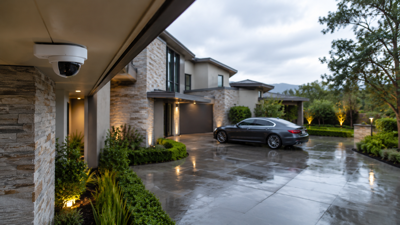

You walk out at seven in the morning and there is a long silver scratch running the length of the car door. Straight to the phone, open the app, scroll back to two in the morning. Empty. The live feed looks great, all four cameras green and streaming, and the archive for the exact hours you care about does not exist. Techs who handle security cameras repairs hear this opening more than any other, and almost never from somebody staring at obviously broken hardware.
That gap between looking fine and working is where most home surveillance quietly lives. My neighbor found out during a package theft. Two years of paying a monitoring fee, cameras humming away above the garage, and the recorder had stopped writing sometime the previous spring.
What Your System Means By "Recording"
Live video and stored video travel different paths inside the same equipment, and they break independently. One can run for years while the other has been dead since a thunderstorm in April.
Live View Proves Almost Nothing
A camera streams to your phone by sending video out over the network in real time. Saving that video is a separate job, handled by a recorder, a memory card, or a cloud account. On an analog setup the camera is dumb hardware sending a signal down coax to a recorder that does all the thinking, so a failed recorder kills storage while the monitor in the closet still shows every angle. IP cameras are small computers, and some hold a card inside the housing, which means one camera can be saving while its neighbor saves nothing at all.
Where The Video Physically Sits
Three places, three failure styles. A hard drive inside a recorder in a closet or basement. A microSD card in the camera body, usually 128GB and usually forgotten. A cloud account tied to a subscription and your upload speed. Plenty of homes run two of these at once without the owner knowing which one holds the footage they will eventually need.
Your Retention Window
Ask a homeowner how far back their video goes and you hear thirty days. The actual number, after somebody adds two 4K cameras to a recorder sized for four low-resolution ones, tends to be four or five days. Higher resolution, higher frame rate, more cameras, continuous rather than motion-triggered: each choice eats the archive faster. A break-in you discover on returning from a two-week trip needs an archive nobody bothered to measure.
The Drive Dies First
Inside that recorder is a spinning hard drive writing video every second of every day, which is roughly the harshest workload consumer storage ever sees.
Surveillance Drives Against Desktop Drives
Drives built for surveillance are rated for continuous writes and tolerate heat and vibration that would kill an office drive within a year or two. Installers cutting cost drop in whatever was cheap. Stick that in a warm cabinet with poor airflow, run it nonstop for three summers, and it starts dropping sectors. Video written to a bad sector comes back as a corrupted clip, or as nothing.
Warnings Nobody Sees
Recorders announce drive faults on the monitor output. Most homes have no monitor plugged into the recorder, since everybody watches through the phone app, and phone apps typically show cameras rather than system health. The buzzer that would have made noise got muted during install because it beeped during a false trigger. So the recorder has been complaining into an empty room for months.
Full, But Not Overwriting
Overwrite mode tells the recorder to erase the oldest video once the drive fills. Switch that off, deliberately or by accident during a settings change, and recording stops dead when the drive is full. Everything looks normal. Live view works, the interface responds, and the newest clip in the archive is dated last March.
Settings That Quietly Turn Recording Off
A surprising share of missing footage traces back to configuration rather than hardware, usually to a change somebody made for a good reason and never reversed.
Motion Zones Drawn Too Tight
Motion recording only saves what falls inside a drawn zone at a set sensitivity. After a run of alerts triggered by a swaying palm, somebody shrinks the zone and drops sensitivity. Now the driveway edge sits outside the box, and a person walking along the fence line generates no event, no clip, no notification.
Schedules Nobody Restored
Recording schedules get disabled during renovations, parties, house guests, or a technician's visit. Turning them back on requires remembering that they were switched off. Weeks pass. The system arms itself in your mind and nowhere else.
The Camera Nobody Added To The Plan
Add a fourth camera above the side gate, get it streaming, admire the view. Adding a device to the system and enrolling it in the recording plan are two separate steps on most platforms. Skip the second and that camera exists purely as live entertainment.
Cloud Plans, Apps, And Provider Changes
Wireless and cloud systems depend on things well outside the walls of the house, which gives them their own catalog of ways to lose video.
The Lapsed Subscription
A card expires, an email lands in spam, the plan drops to the free tier. Free tiers usually keep a few hours of clips, sometimes none. Cameras keep working, notifications keep arriving, and the archive shrank to something useless without a single alarm bell.
Uploads That Never Finish
Battery cameras at the far end of a property sit at the edge of Wi-Fi range. They record locally to a card and try to push clips upward. Weak signal, congested band, or a thin upload channel means the clip stalls, retries, expires. The app shows an event thumbnail with no playable video behind it, which is the most annoying possible outcome.
After The Router Swap
New provider, new router, new network name. Cameras that had static addresses lose them. Port forwarding rules vanish. Remote viewing dies immediately, which people notice, while local recording may or may not continue, which people do not check. Reconnecting the app makes it feel resolved even when half the cameras never rejoined the network.
Slow Failures Nobody Notices
Equipment rarely dies on a Tuesday. It degrades while the picture stays acceptable enough that nobody investigates.
Power That Sags
Voltage drop over a long cable run, an overloaded power-over-Ethernet switch, an aging adapter: the camera browns out, reboots, comes back. At night, when infrared illumination pulls extra current, this happens repeatedly. The recorder logs it. You see a picture during the day and assume everything is fine.
Glass, Water, And Spiders
A spider builds across a lens and its web catches infrared light, so the camera reads constant motion and fills the drive with hundreds of clips of nothing. Real events get pushed out fast. Condensation inside a housing after a failed gasket turns night footage into gray fog. Dome cameras behind glass throw their own infrared back into the lens, producing a bright wash that hides faces.
Cameras That Moved
Wind, a tree crew, a painter leaning a ladder against a bracket. The camera keeps working perfectly and now records the neighbor's hedge. Since the app view rarely gets a careful look, months can pass before anyone notices the angle changed.
A Twenty-Minute Audit You Can Run Today
Facts about each camera beat an assumption about the system.
Pull Footage From A Specific Old Date
Not the last ten minutes. Pick two in the afternoon, eight days ago, and try to play video from every camera. Anything that fails to produce a clip goes on the list. This one test catches short retention, dead drives, and disabled schedules at once.
Walk In Front Of Every Lens
Stroll the driveway, the side gate, the back patio, the front door. Wait five minutes, then find yourself in the archive from each camera. Cameras that captured nothing have either a motion problem or a recording problem, and both need a real diagnosis rather than a reboot.
Export One Clip And Play It Elsewhere
Save a clip to your phone, email it to yourself, open it on a laptop. Export is the function that fails most often and the one you will depend on when handing video to police or an insurance adjuster. Finding out it is broken at that moment, honestly, is the worst version of this whole story.
Write The System Down
Recorder brand and model, the date the drive went in, retention setting, who installed it, which accounts have app access, and whether any old contractor or previous owner still holds credentials. Tape the page inside the equipment cabinet where the next person to open that door can read it.





(0) comments
We welcome your comments
Log In
Post a comment as Guest
Keep it Clean. Please avoid obscene, vulgar, lewd, racist or sexually-oriented language.
PLEASE TURN OFF YOUR CAPS LOCK.
Don't Threaten. Threats of harming another person will not be tolerated.
Be Truthful. Don't knowingly lie about anyone or anything.
Be Nice. No racism, sexism or any sort of -ism that is degrading to another person.
Be Proactive. Use the 'Report' link on each comment to let us know of abusive posts.
Share with Us. We'd love to hear eyewitness accounts, the history behind an article.